
For Teams and Businesses
👥 Roles and Permissions
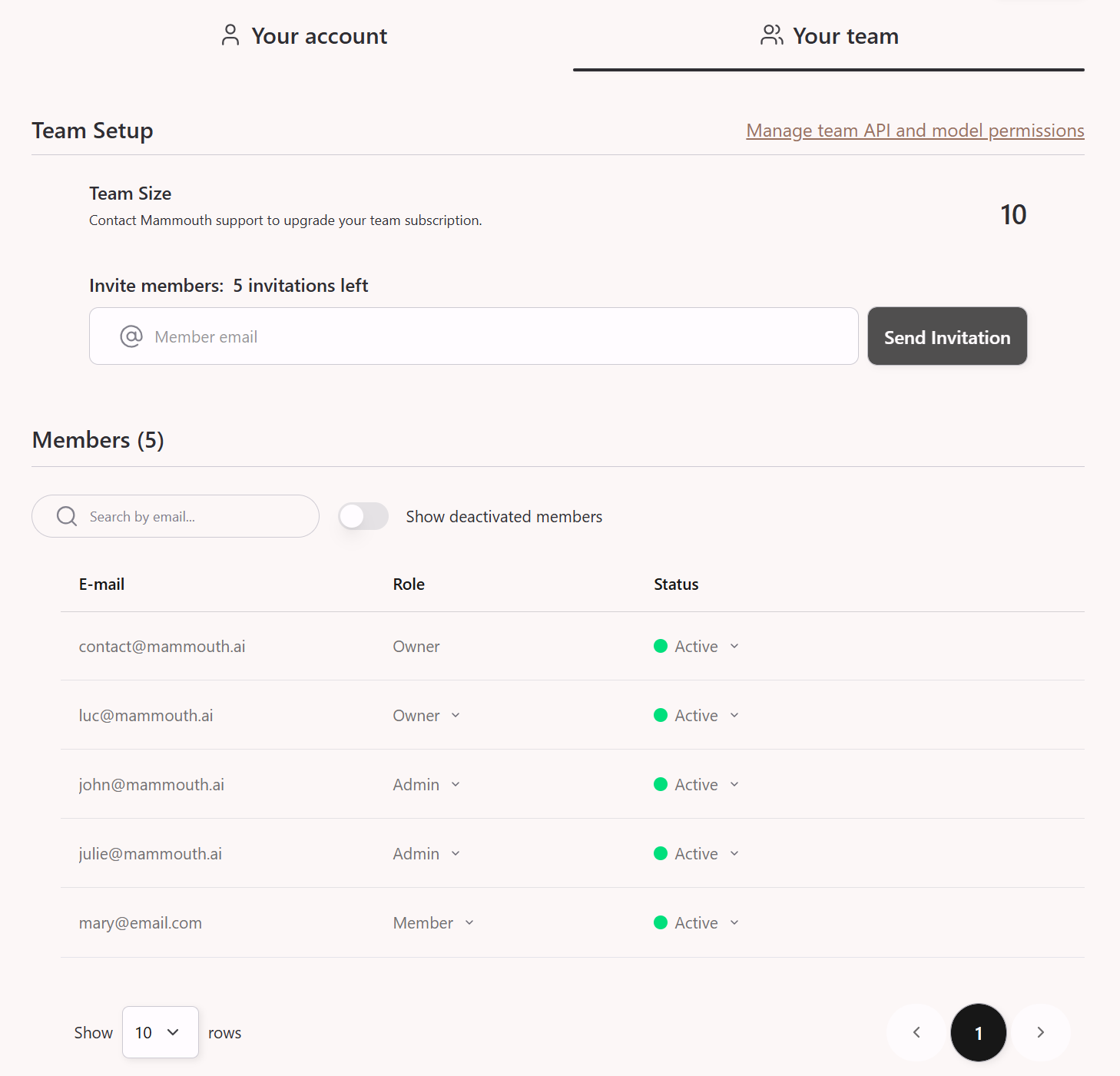
Team and Organization accounts are built around three role levels:
| Role | Rights |
|---|---|
| Owner | Full access to all Team page features, including plan management, billing and permissions |
| Admin | Can invite, activate and deactivate members and other admins. Cannot modify the subscription, billing or permissions |
| Member | No access to the Team page |
💡 Tip: Owners and admins can deactivate their own license to transfer it to another member, allowing them to maintain a purely administrative role without consuming a license.
Bulk Invitations
Members can be invited individually or in groups of up to 100 people via a simple copy-paste of an email list (from a CSV file or a spreadsheet).
User Privacy
Each user's conversations and documents are strictly confidential and remain their own property. No team member can access another user's conversations, except through explicit sharing via:
- conversation sharing,
- custom mammouth sharing.
🔒 Permissions
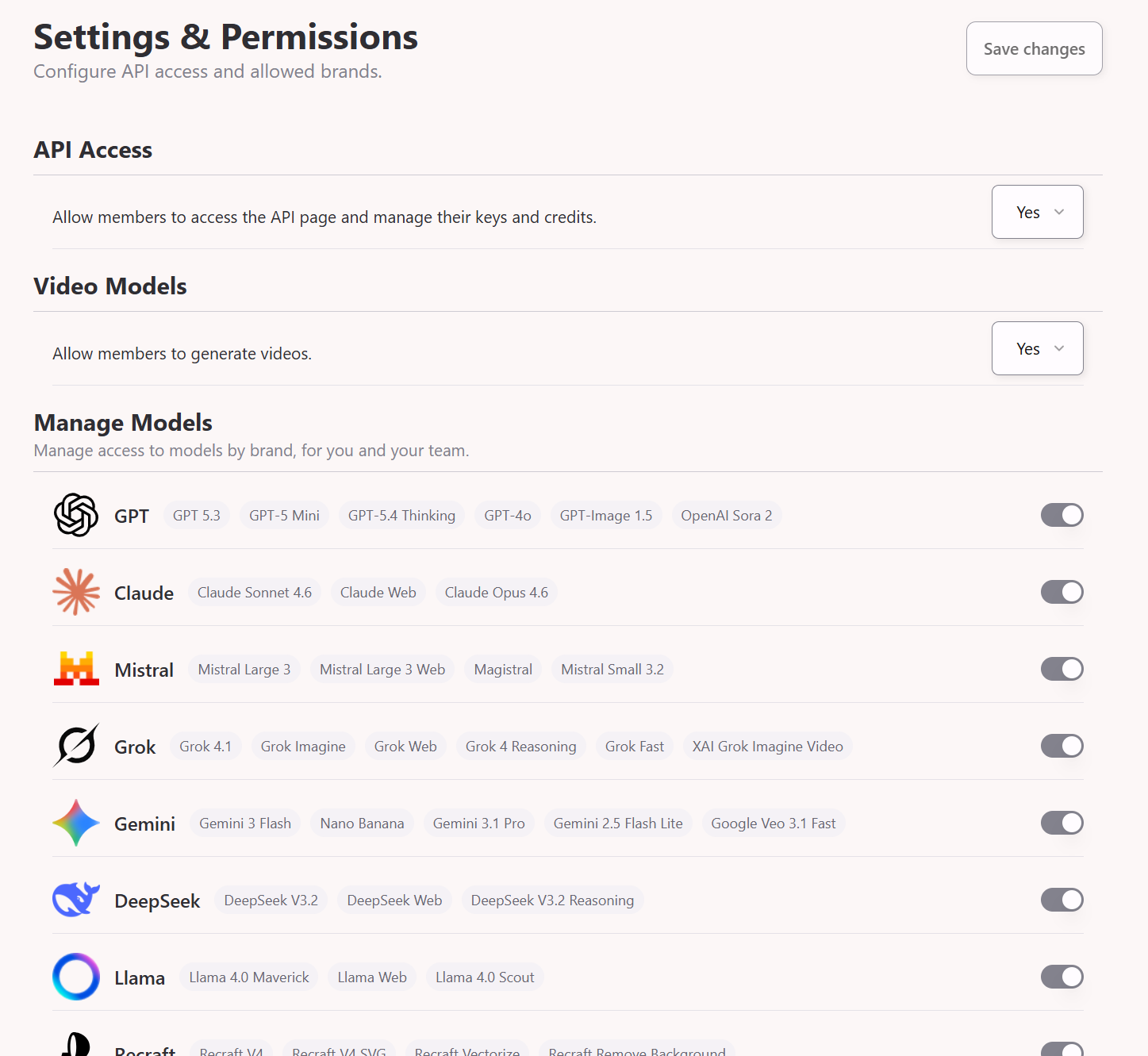
At their discretion, Owners can restrict certain features for all team members:
- ❌ Disable specific AI providers
- ❌ Disable API access
- ❌ Disable video generation
🦣 Shared Mammouths
A Mammouth (personalized AI workspace) can be shared within a team with two access levels:
- Read-only: invited members can use the Mammouth without modifying its instructions or associated files.
- Read and edit: invited members can modify the instructions and associated files.
⚠️ Sharing a Mammouth does not imply sharing the conversations that take place within it. Each conversation remains private by default.
Conversation Sharing
Conversation sharing is possible, but must be explicitly enabled on the relevant conversation. Sharing is done via a URL link.
🔀 Multiplan Option
It is possible to mix plans (Starter, Standard and Expert) within the same team, allowing you to tailor access to each collaborator's actual needs.
💳 Payment Options and Billing
Online Payment (recommended)
Available at mammouth.ai/pricing, with the following payment methods:
- 💳 Credit/debit card
- 🅿️ PayPal
- 🛍️ Klarna
- 🏦 SEPA direct debit (Europe only)
These payment methods allow for fully autonomous subscription management.
Billing: An invoice is automatically sent by email upon each payment and is also available in your personal account area.
💡 For businesses: when registering on the payment page, select "I'm purchasing as a business" and enter your European VAT number.
Bank Transfer or Administrative Order
Payment by bank transfer is accepted under the following conditions:
- Annual commitment required
- No plan mixing: the entire team must be on the same plan
For any quote request, please fill the quotation form.
⏱️ Each license addition requested by email will be processed within 72 business hours.
🔐 SSO (Single Sign-On)
SSO integration is available with Microsoft Entra ID, Okta, Keycloak, and other SAML 2.0 identity providers. It facilitates deployment of Mammouth across companies or universities with more than 50 licences.
Details on SSO Integration Guide.
To submit a request, contact [email protected].