

Use your custom mammoths more easily on mobile
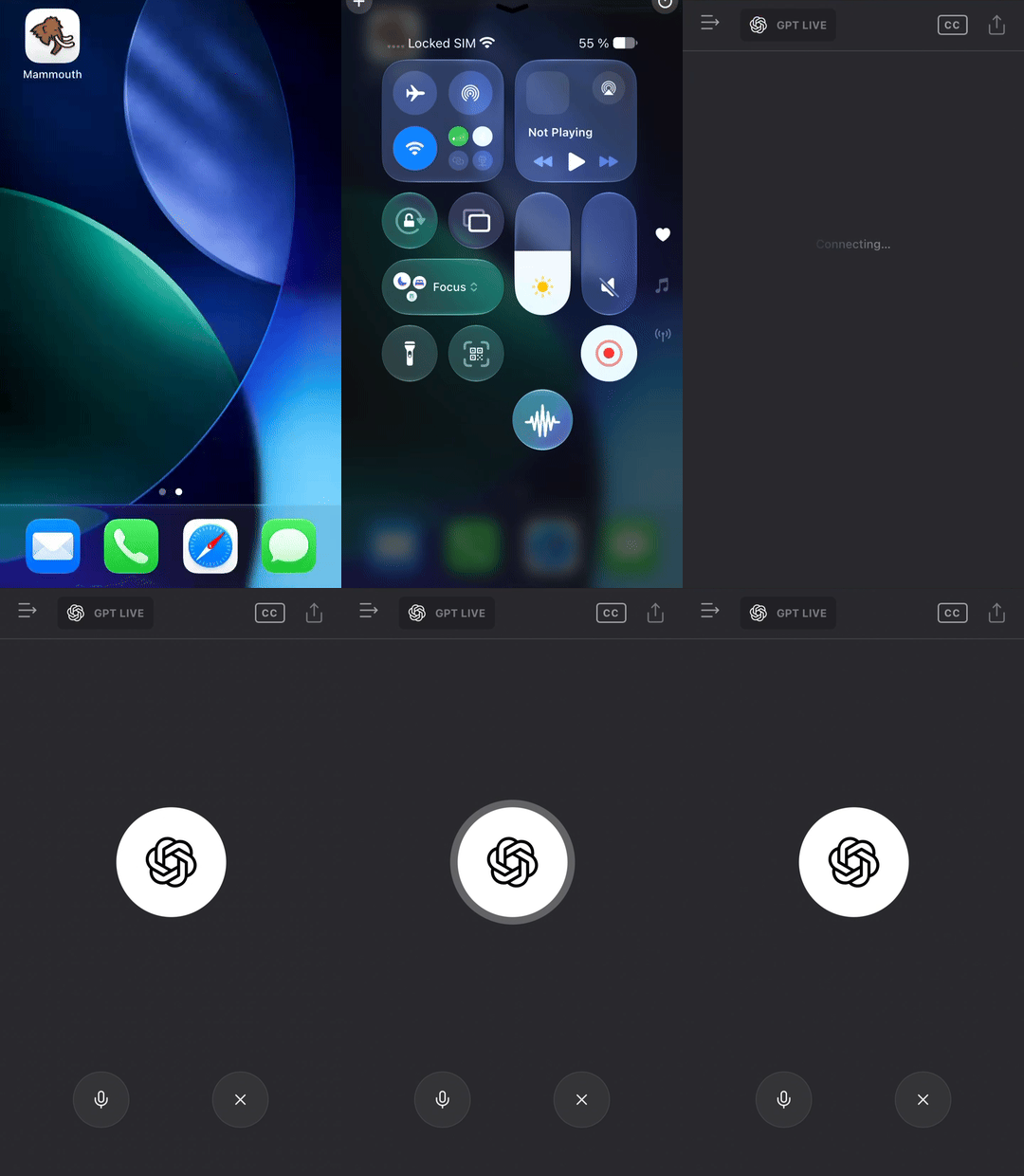
Create a shortcut to one of your custom mammoths and open it in a single action, straight on the feature you need:
Text fieldWrite your prompt
Voice chatTalk out loud
TranscriptionDictate your prompt
CameraSend a photo
Prerequisites
Install the Mammouth app on your phone and create at least one custom mammoth.
📲 Add a shortcut
 Android
- In the Mammouth app, open the custom mammoth menu.
- Choose the shortcut that suits you: text field, voice chat, transcription or camera.
- Add it to your home screen.


 iPhone
On iPhone, shortcuts are created with Shortcuts, Apple's native app. You can then launch them from the Control Center or from a widget on your home screen.
Create the shortcut, step by step:
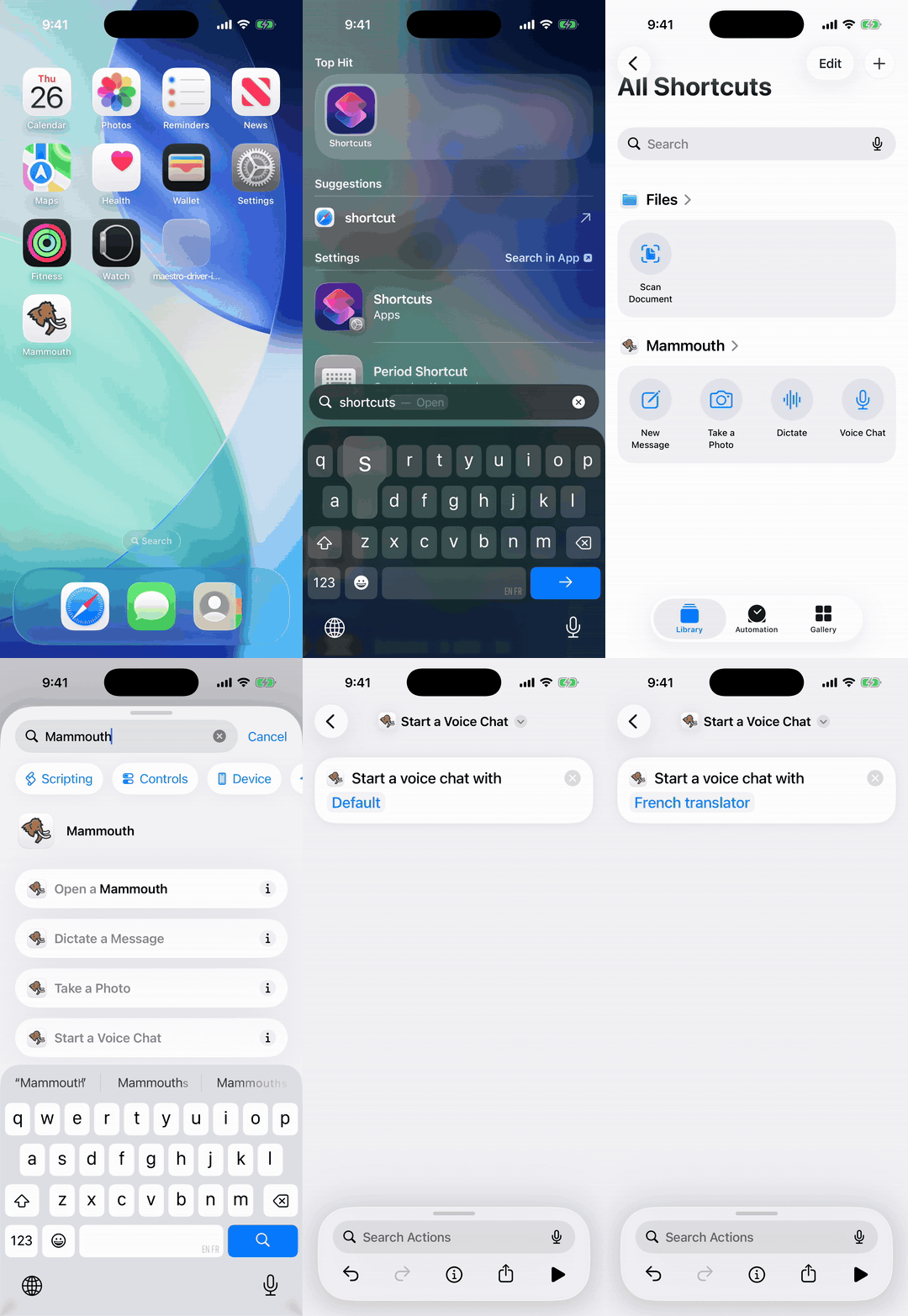
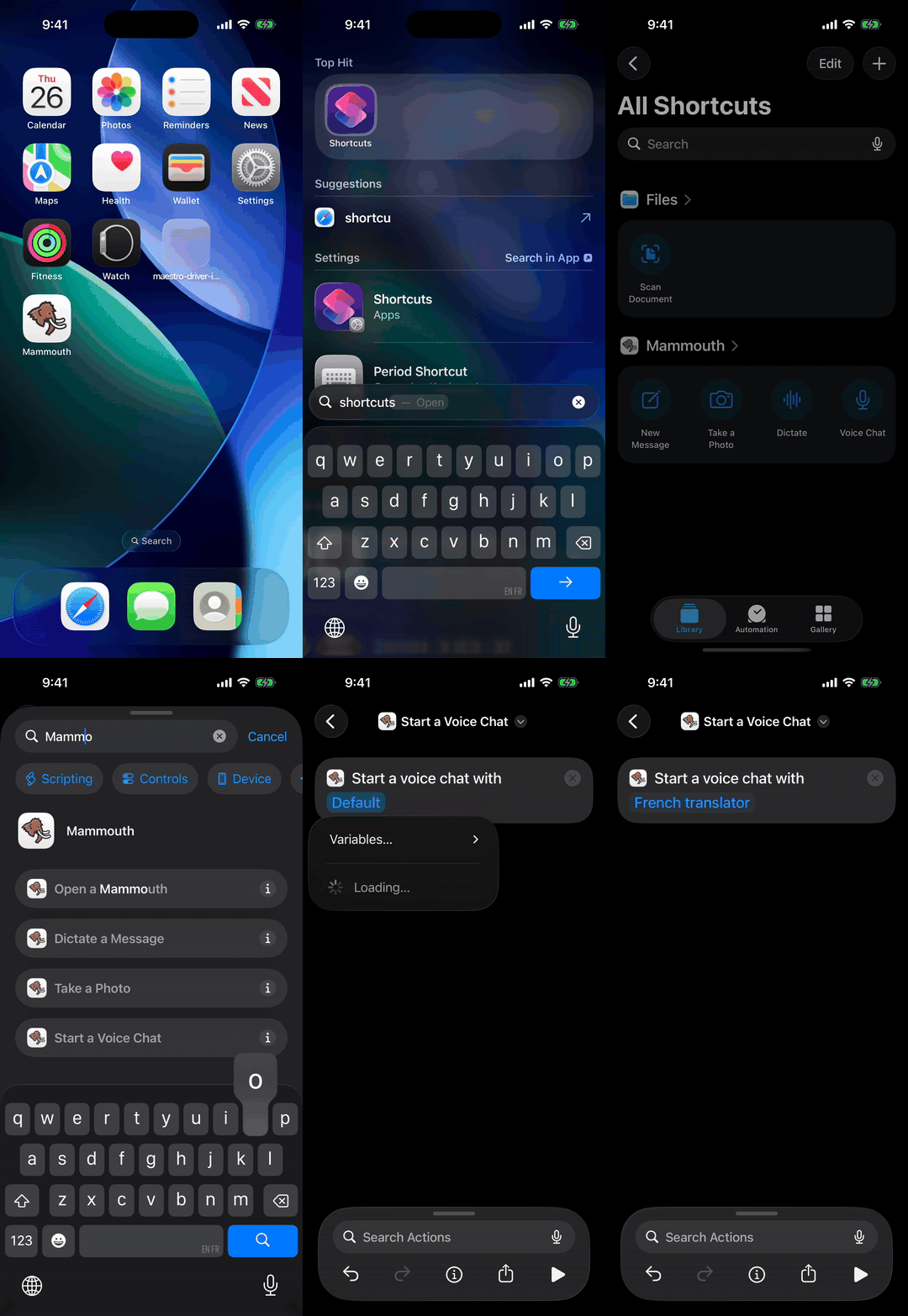
- Open the Shortcuts app.
- Tap + to create a new shortcut, then search for and select the Mammouth app.
- Choose the action you want, then select the custom mammoth to use. For example: voice chat with your translator mammoth, for real-time translation.
- Customize your shortcut: icon, color and name.
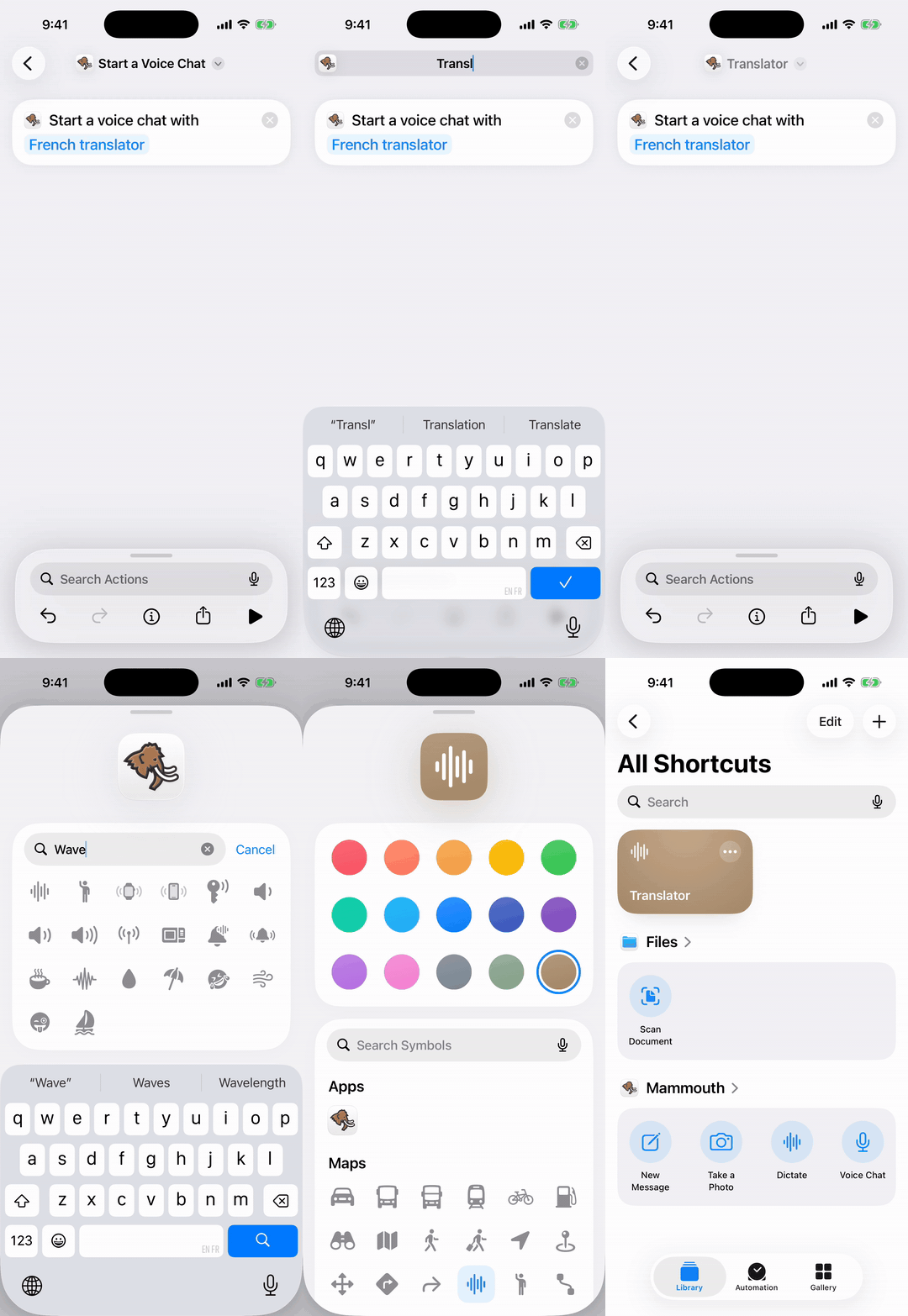
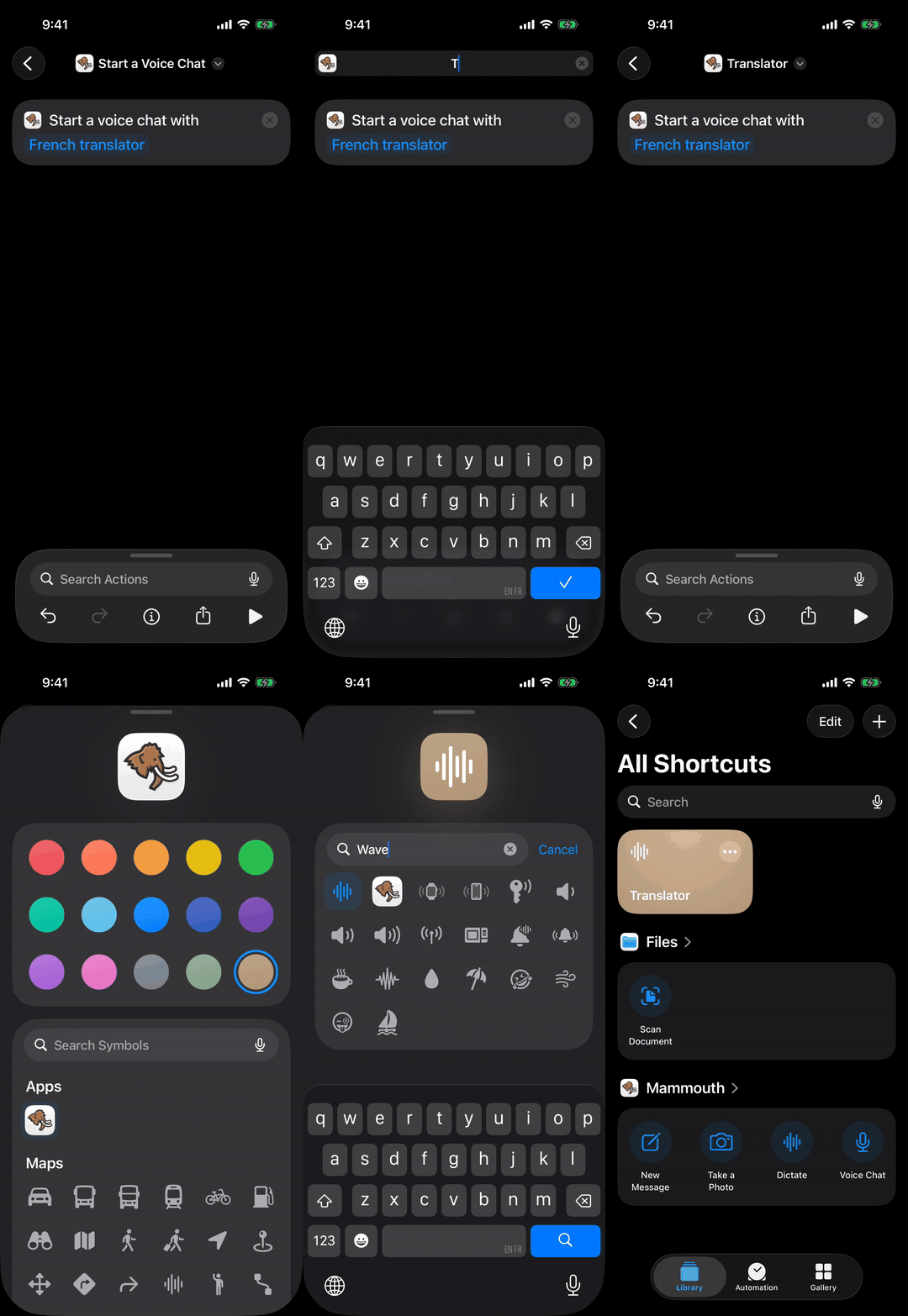
- Add quick access to your shortcut:
- Control Center: add a Shortcuts control.
- Home screen: add a Shortcuts widget.
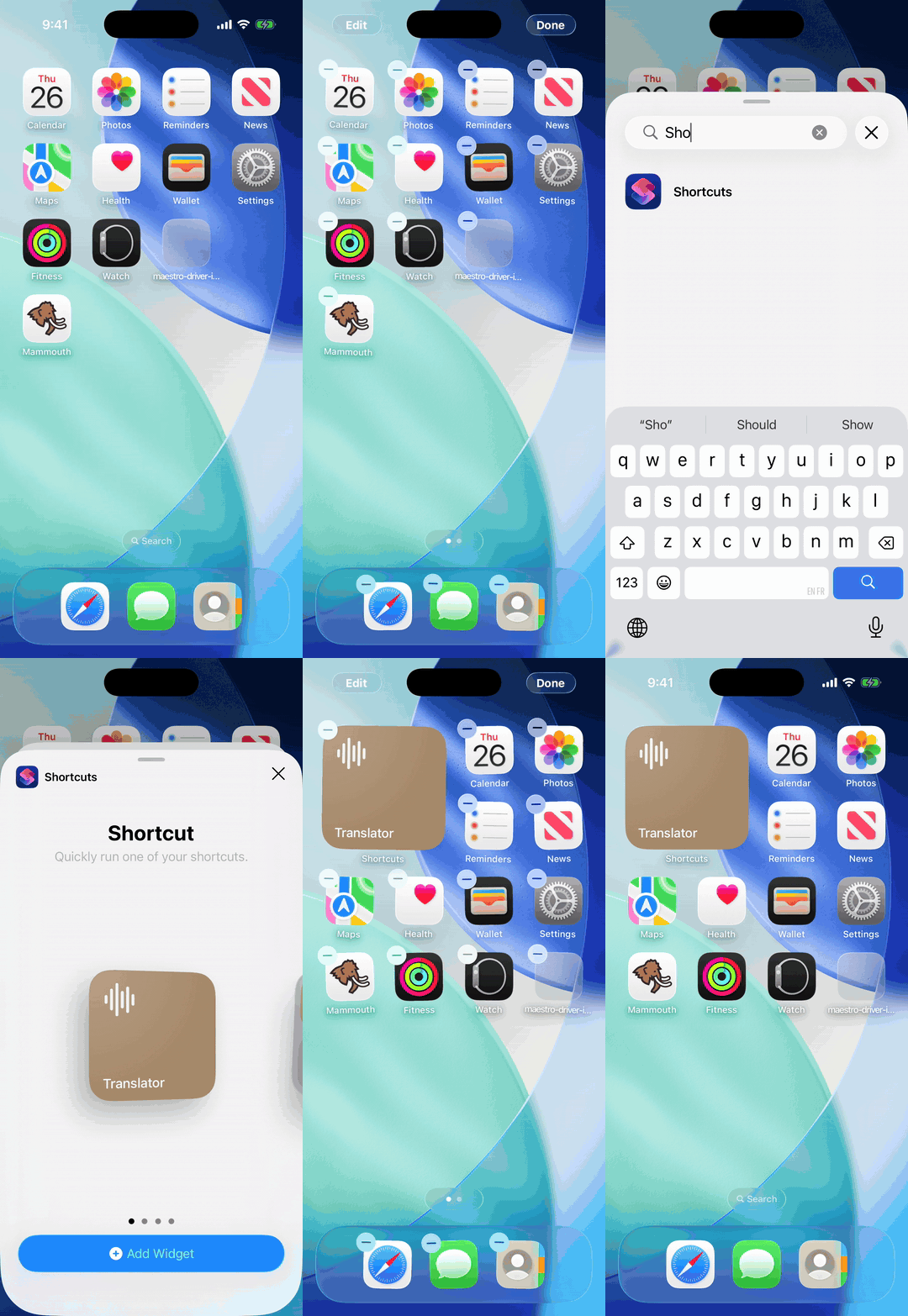
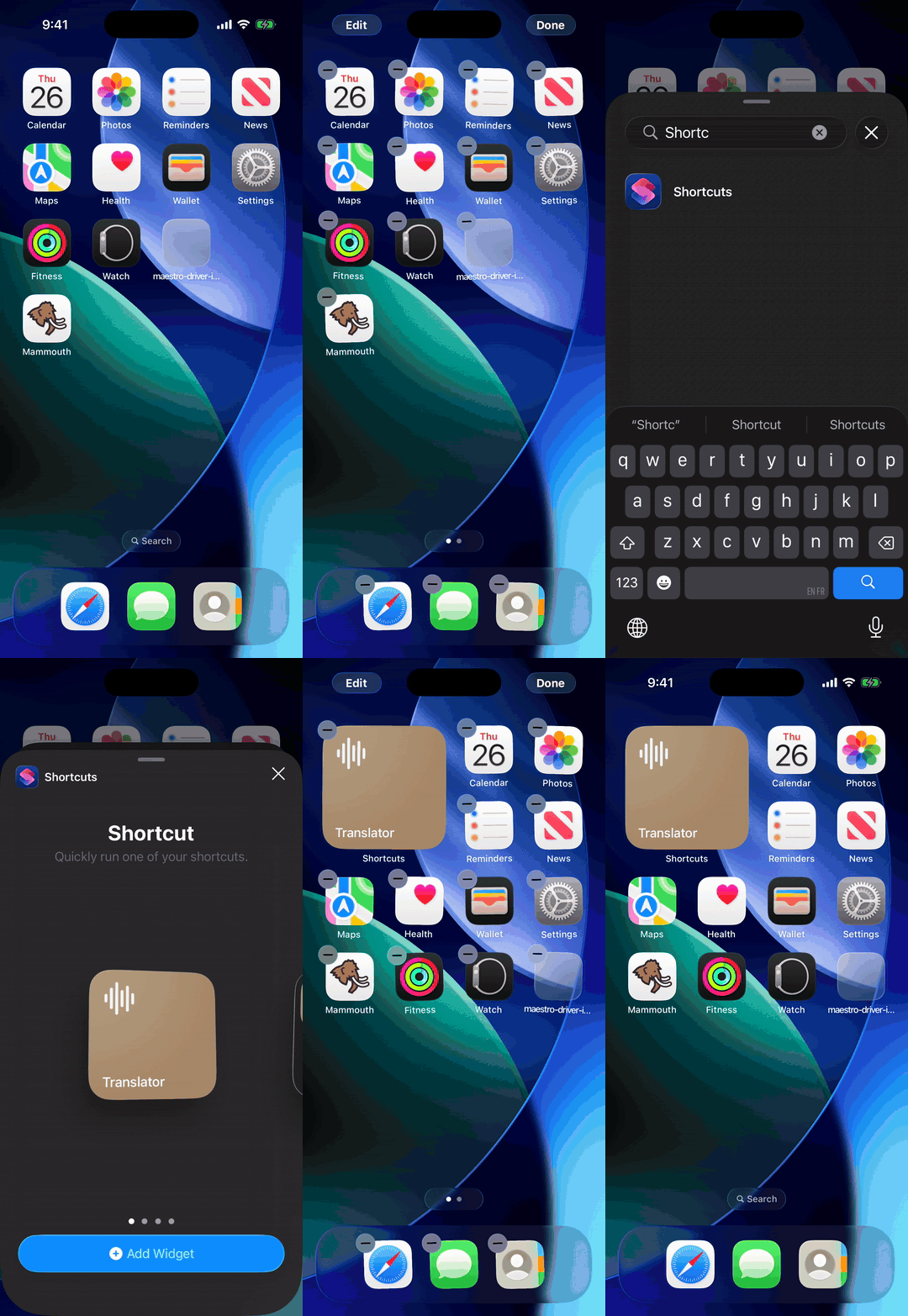
Tip
Create one shortcut per use: a translator mammoth in voice chat, a proofreader mammoth in the text field, an expert mammoth in camera to analyze what's right in front of you…